


























































 Home
Home

Orion ONE
GNSS Receiver
GNSS Receiver
learn more




 2026-01-05
 Kyrie
Kyrie


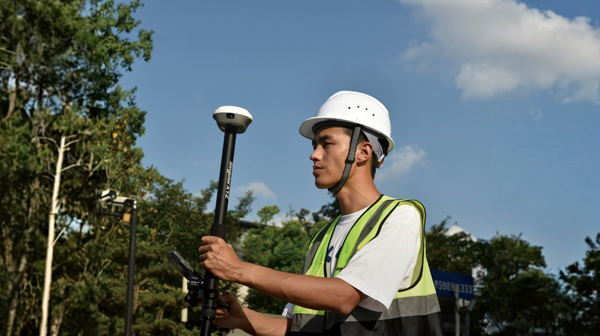
Point measurement is the most fundamental function in GNSS surveying. In standard point survey mode, each point must be measured manually by tapping the survey button. While this works well for individual points, it can become time-consuming and inefficient during repetitive or continuous measurement tasks.
To address this, SingularPad provides the Auto Point Survey function, which automatically records points based on predefined time intervals, distance thresholds, or residence time conditions. This feature reduces manual interaction with the interface and significantly improves field efficiency.
Before using Auto Point Survey, ensure the following conditions are met:
The GNSS receiver is connected to SingularPad via Bluetooth.
The receiver has obtained a FIXED solution using either network (CORS/NTRIP) or radio corrections.
Tap Survey >> Point Survey to enter the point survey interface.
Tap the Settings icon and go to Tool Bar, enable Auto Point Survey in the function options, as shown in the image.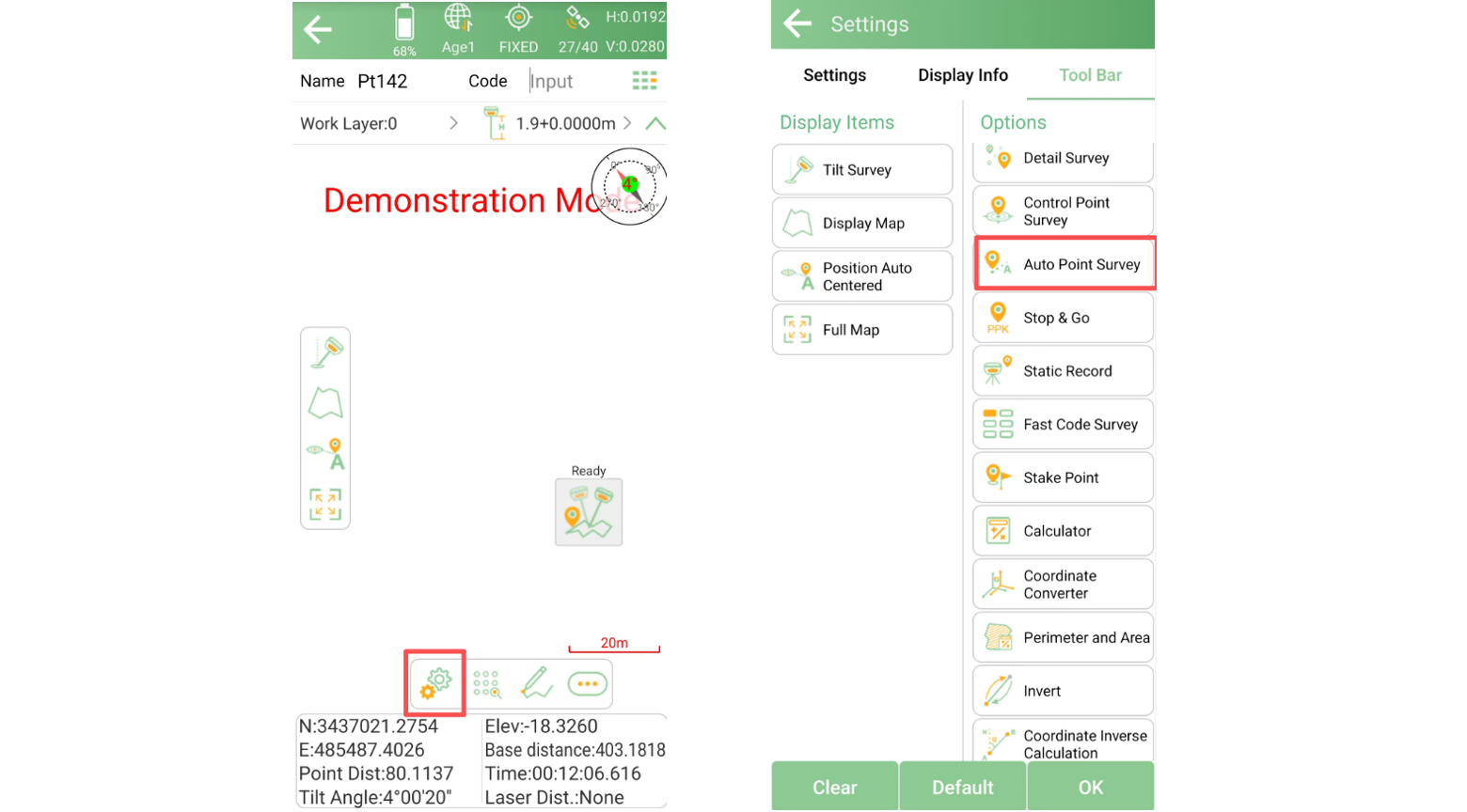
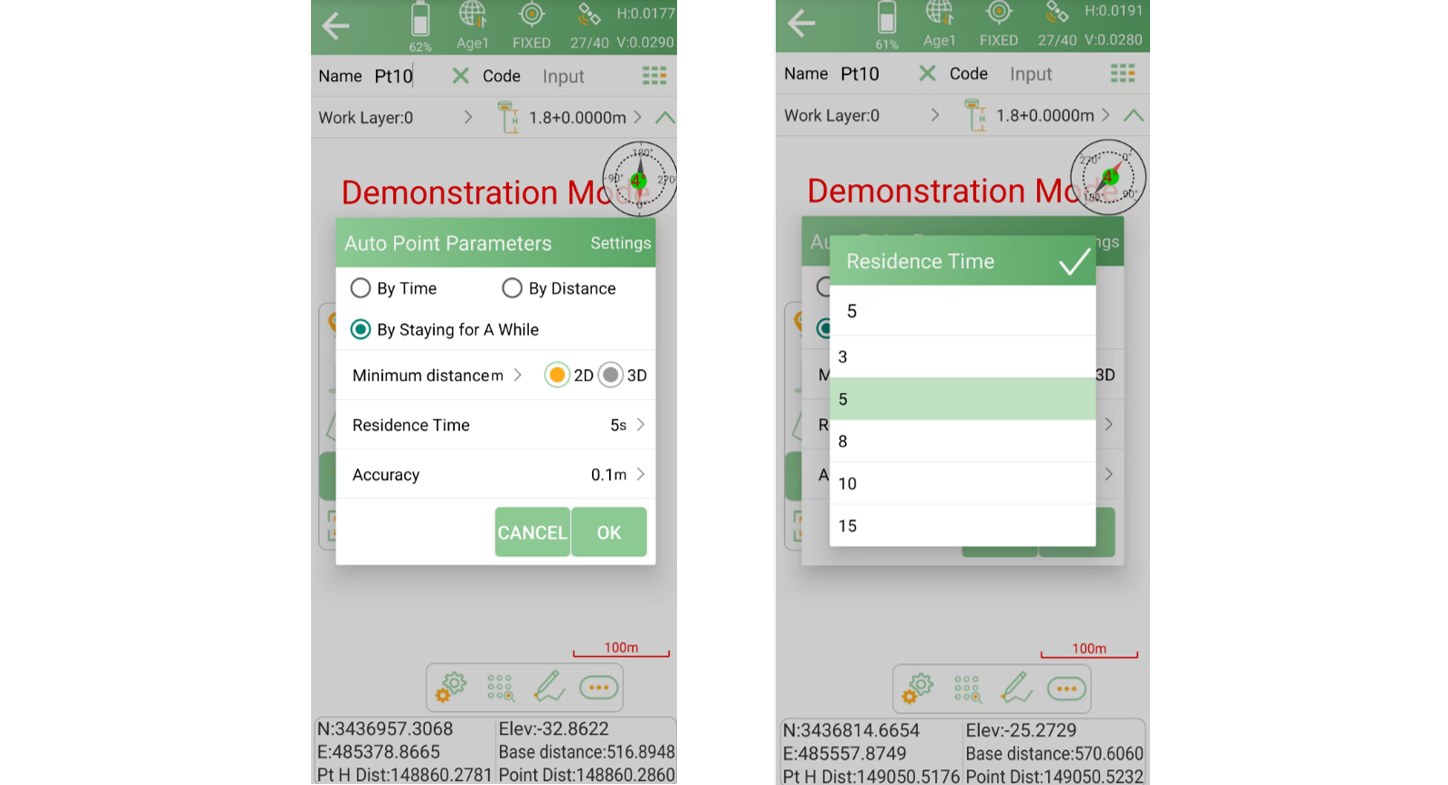
Back to point survey interface and tap Auto Point Survey to enter the configuration options.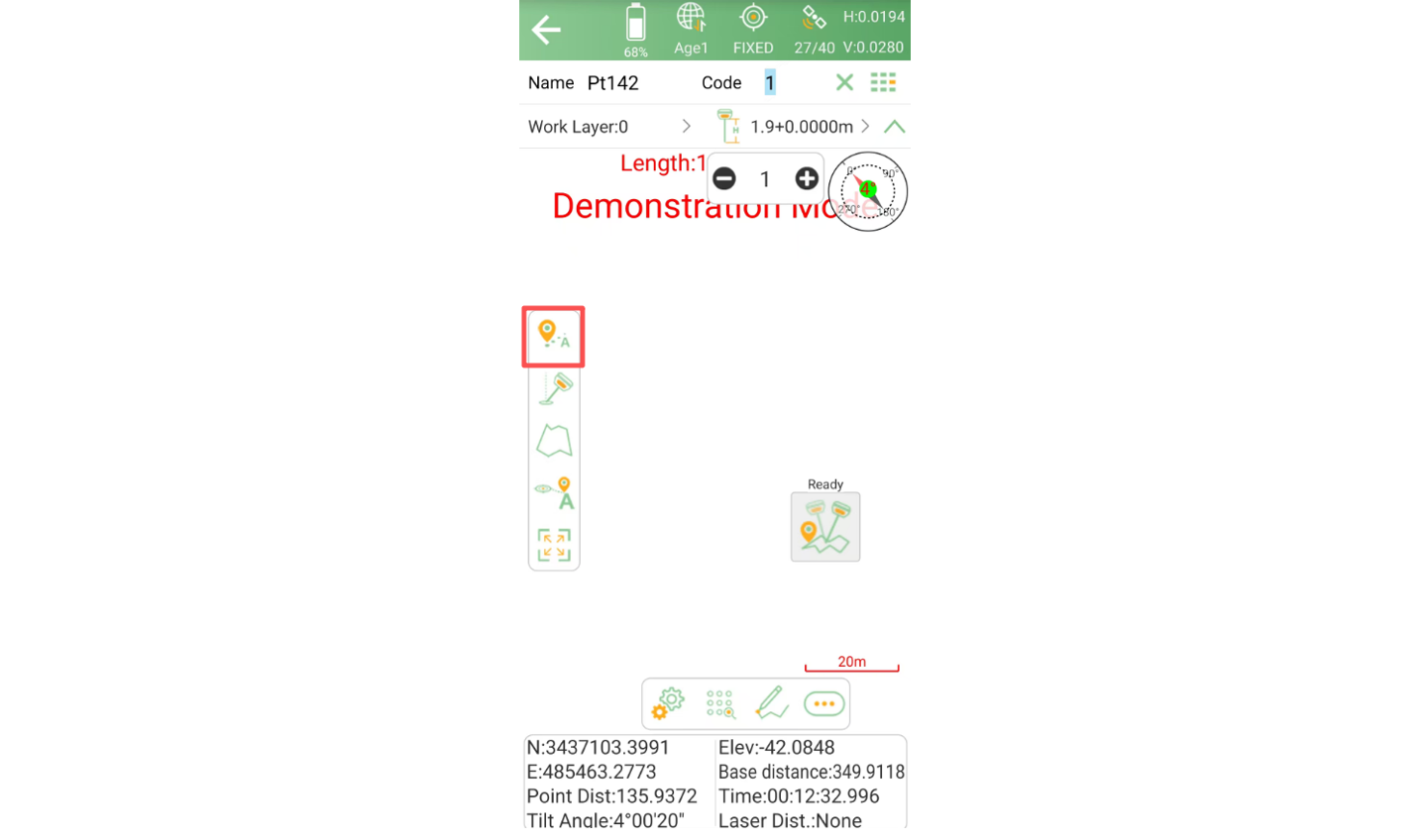
Once enabled, Auto Point Survey offers three measurement modes, allowing you to choose the most suitable method for your workflow.
In this mode, points are measured automatically at a custom time interval.
Suitable for continuous surveys along a route
Ideal when consistent temporal sampling is required
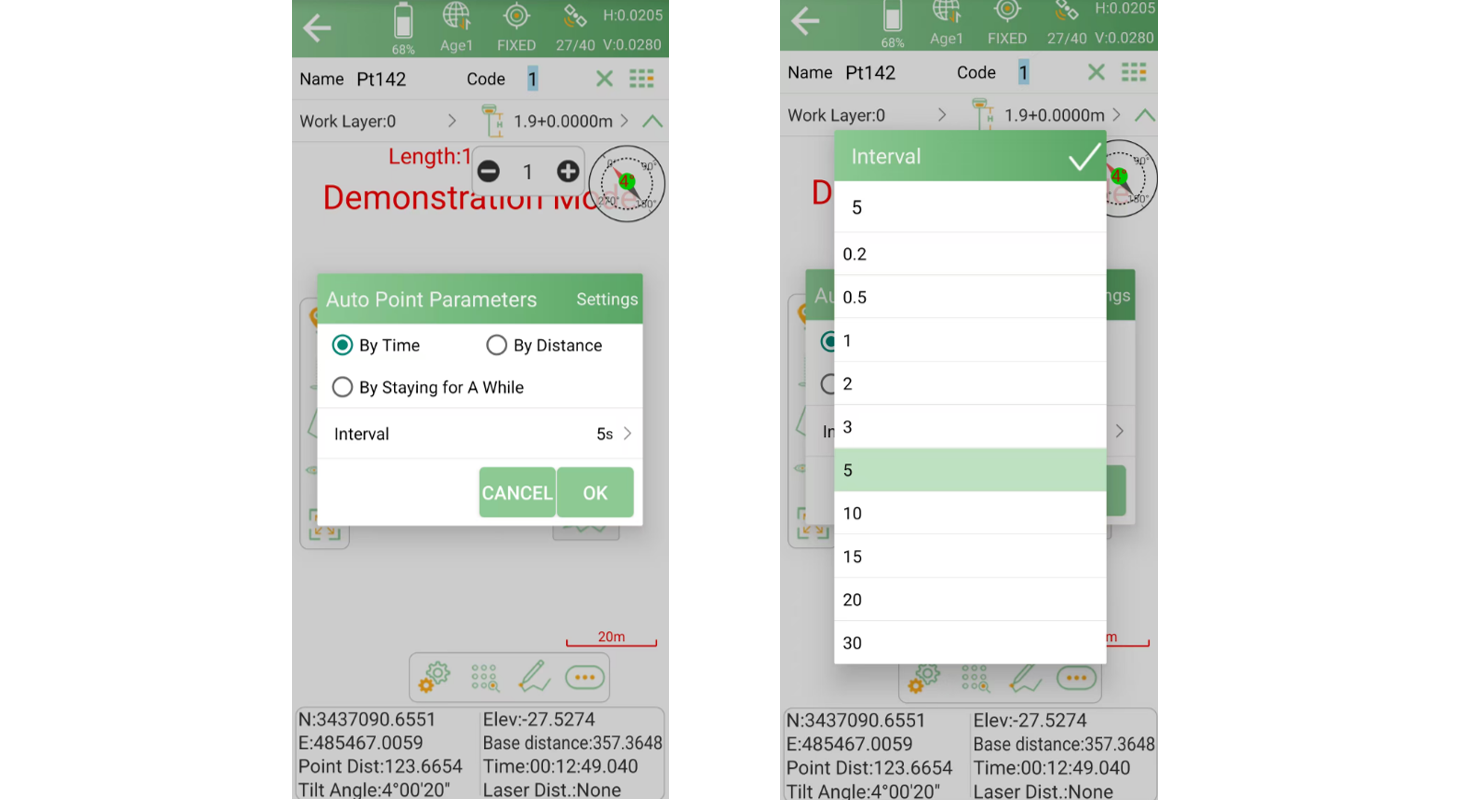
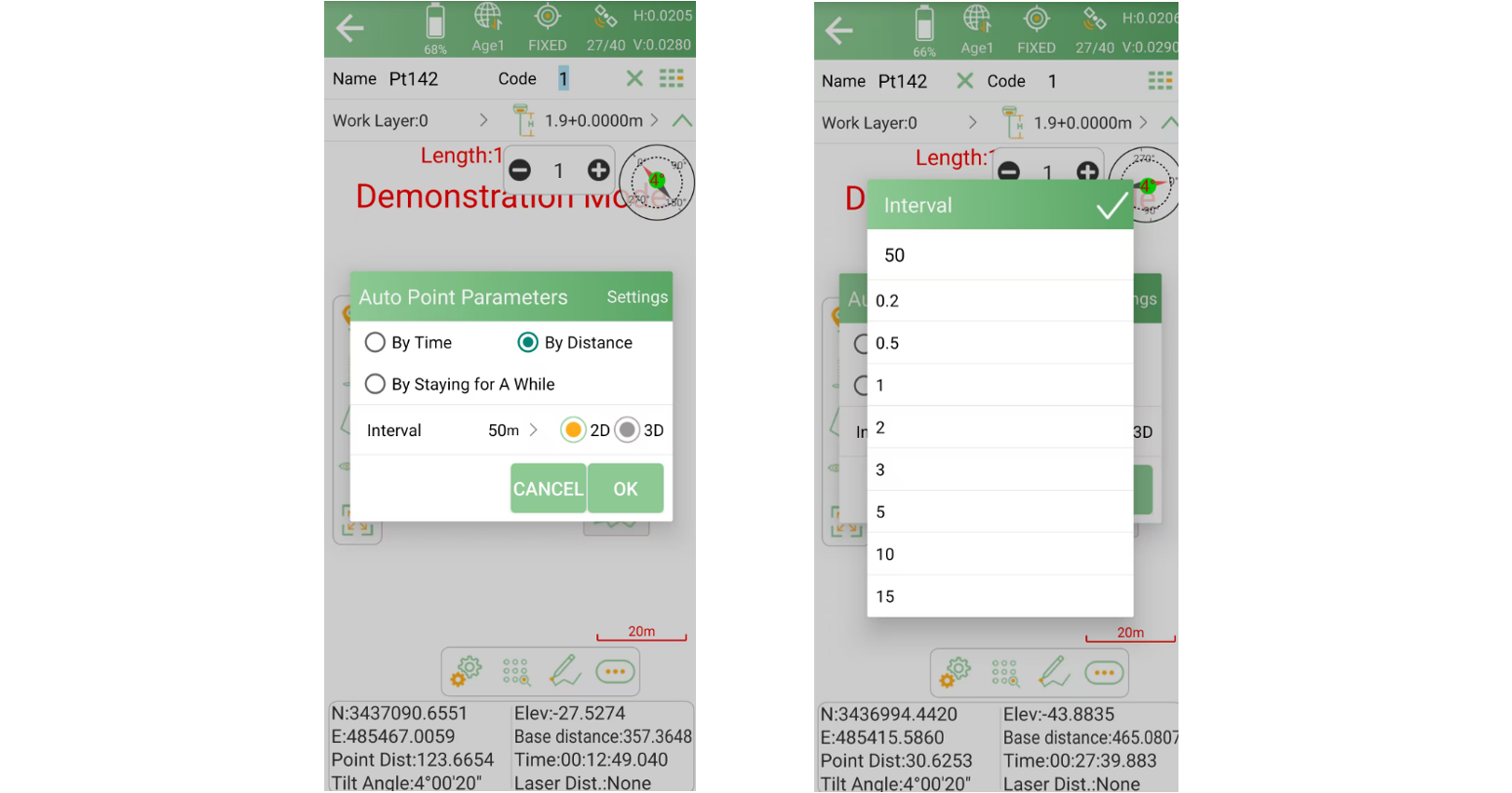
This mode triggers measurements when a custom distance threshold is reached.
Supports both 2D planar distance and 3D spatial distance
Useful for linear surveys such as roads, boundaries, or pipelines
This mode combines minimum distance and residence time conditions.
Once the distance from the previous point exceeds the preset value, place the survey pole on the ground
A measurement is recorded automatically after the defined residence time
This mode is especially effective when points need to be captured only after the pole is stable.
The Auto Point Survey function enables fast, consistent, and hands-free point collection. By customizing time, distance, or residence time parameters, surveyors can adapt the measurement process to different field scenarios and reduce repetitive manual actions.
When combined with an IMU-enabled receiver, Auto Point Survey can further enhance efficiency by allowing smoother movement and faster point acquisition in dynamic surveying environments.