























































 Home
Home

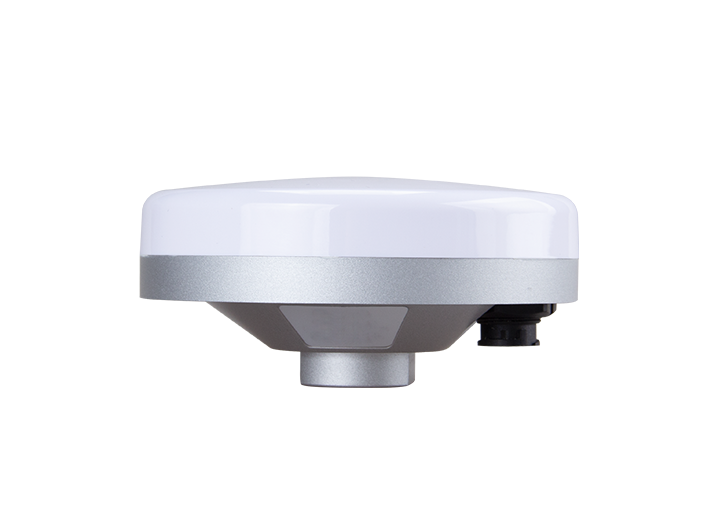
Z1 GNSS Receiver
learn more






 2026-02-24
 Gus
Gus


In our previous blog, Tech Chat | How to Configure Z1 as a Network Base Station?, we explained how to configure the Z1 as a network base station when operating without a built-in 4G modem. The guide was well received and helped many users complete their setup successfully.
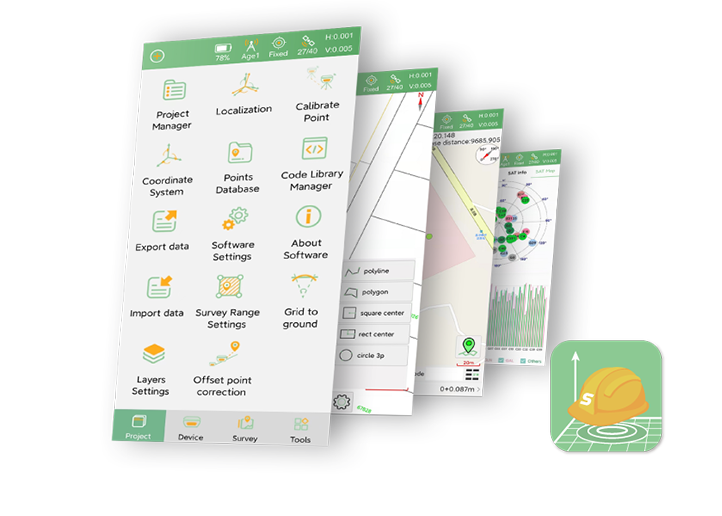
With the latest firmware update, this function has been further streamlined. After updating the Z1 firmware, the entire configuration process can now be completed directly within SingularPad, eliminating the need for NAV software and making the setup simpler and more efficient.
Please ensure that your devices are updated to the following versions:
Z1 firmware: Z1_V4.2.0.7
SingularPad software version: 20261231
You can contact our technical support team to download the required files: support@singularxyz.com
Open SingularPad software and connect to the Z1 receiver.
Go to Base mode and set Datalink to Device Internet. Tap to enter the configuration interface.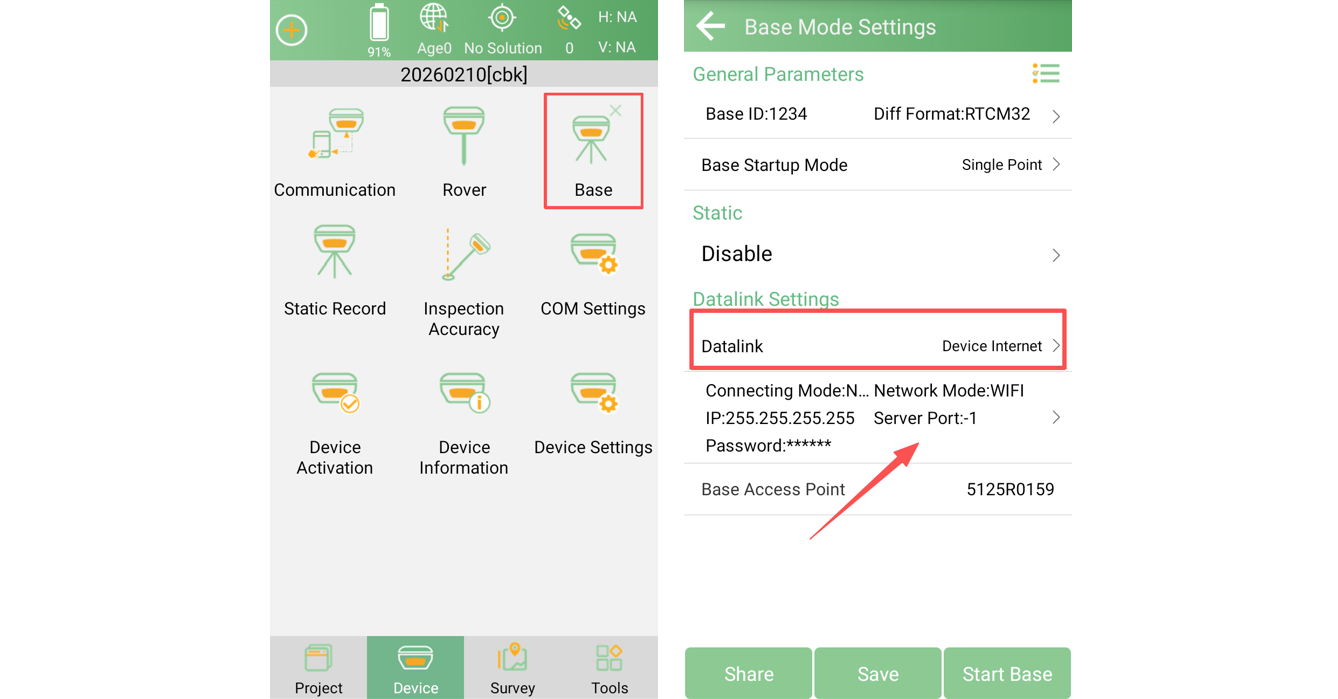
Input your NTRIP server account information in CORS settings. And in WiFi Settings, tap to select Wi-Fi, then enter the Wi-Fi password to enable network access.
(In this example, we use a company account. You may use your own NTRIP server credentials.)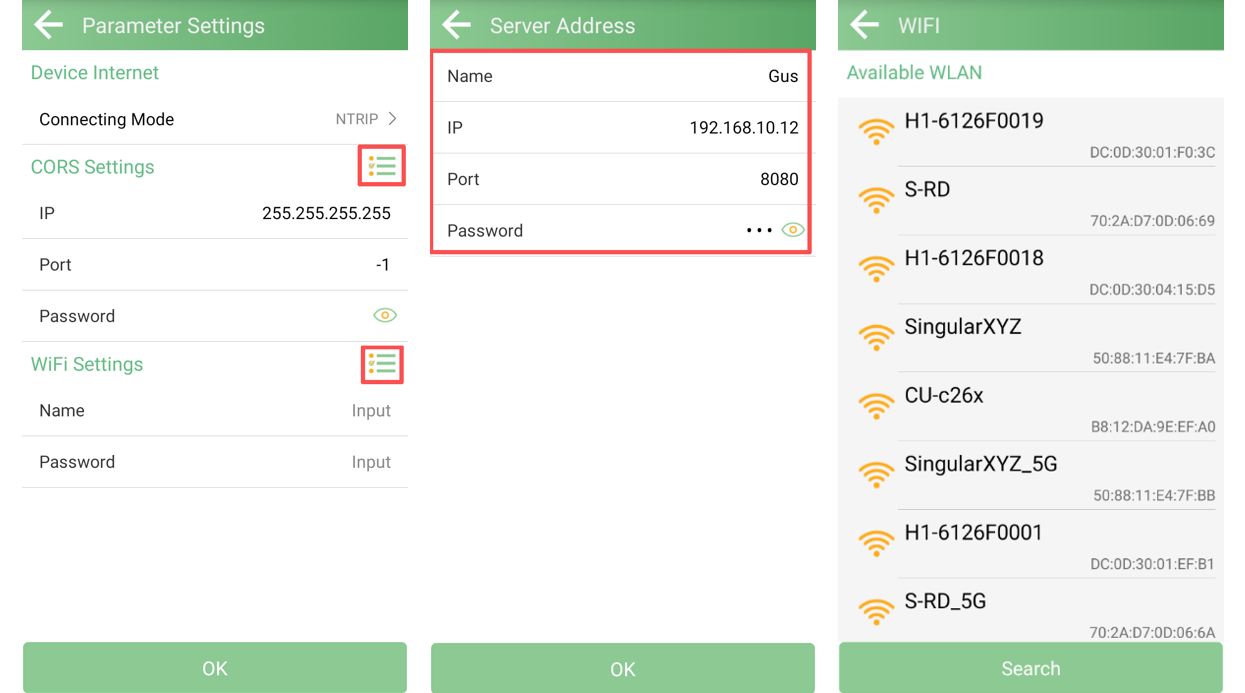
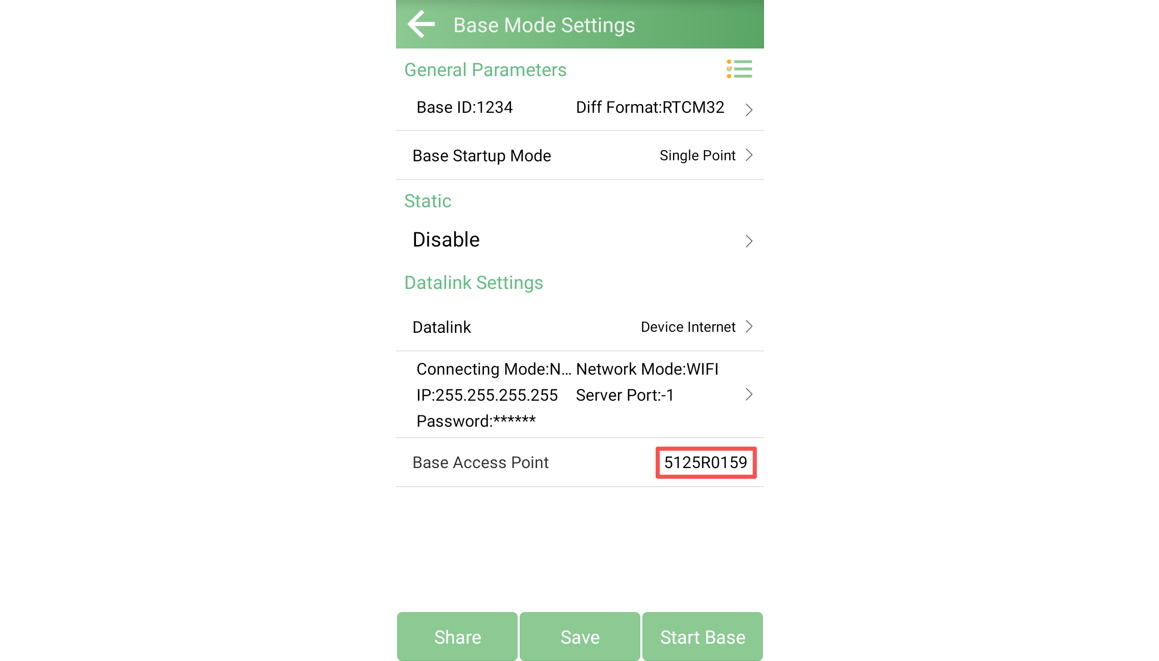
After completing the server configuration, enter the Base Access Point (Mountpoint name). This is the mountpoint that the rover will connect to later.
Open SingularPad and connect to your rover receiver.
Go to Rover mode and set Datalink to Phone Internet.
Enter the corresponding NTRIP IP address, Port, Username, and Password (same as configured on the base side).
Tap Get to retrieve the available mountpoints from the server. Select the mountpoint you configured in Step 1.
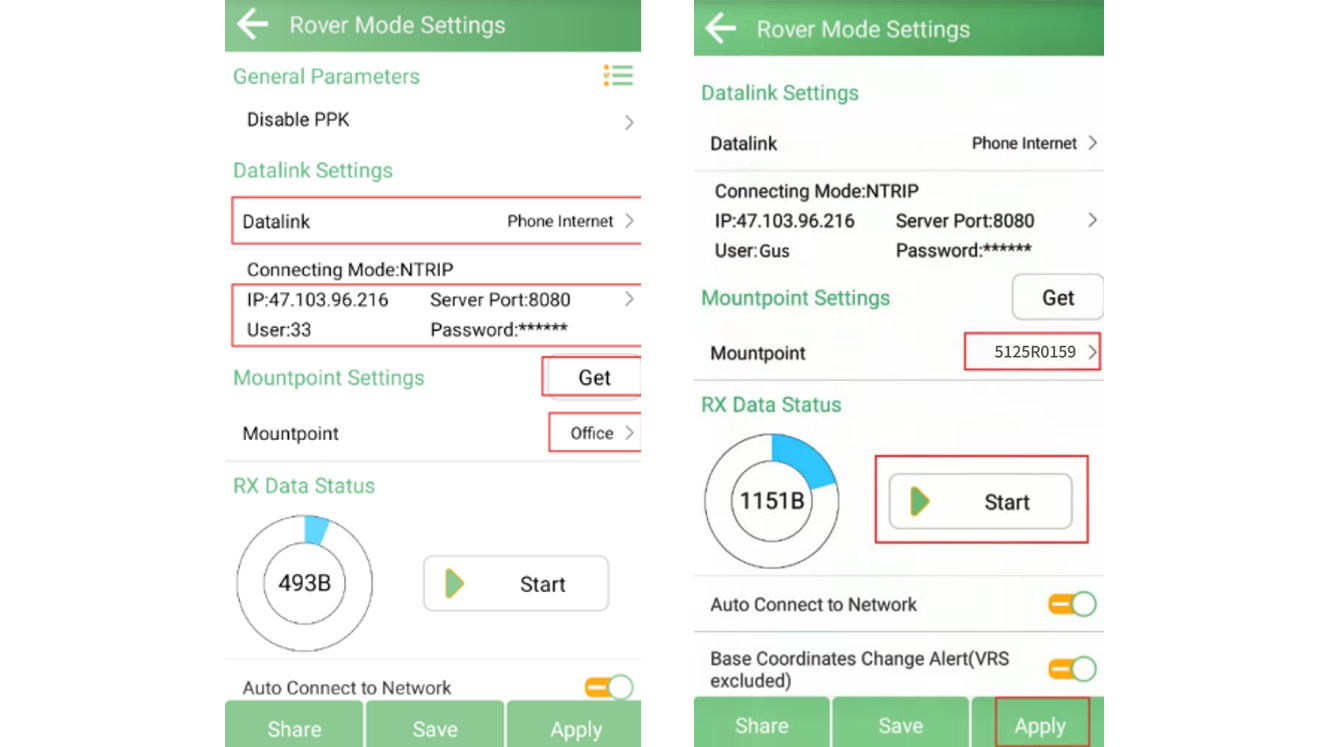
Once connected successfully, the rover will begin receiving correction data from the Z1 network base station.
With this firmware optimization, configuring the Z1 as a network base station is now significantly simplified. Users can complete the entire setup directly within SingularPad.
This enhancement expands the application scenarios of the Z1. In addition to radio base, users can now deploy the Z1 as a network base station in areas where radio transmission is limited, providing greater flexibility and maximizing device capability.