





































 Home
Home
SAgro200
Auto-Steering System
Auto-Steering System
learn more




 2026-03-24
 Kyrie
Kyrie


In farming operations, users often work with different agricultural implements in the same field. To improve compatibility and access implement-related information directly on the terminal, ISOBUS provides a standardized communication interface between the tractor, implements, and control system.
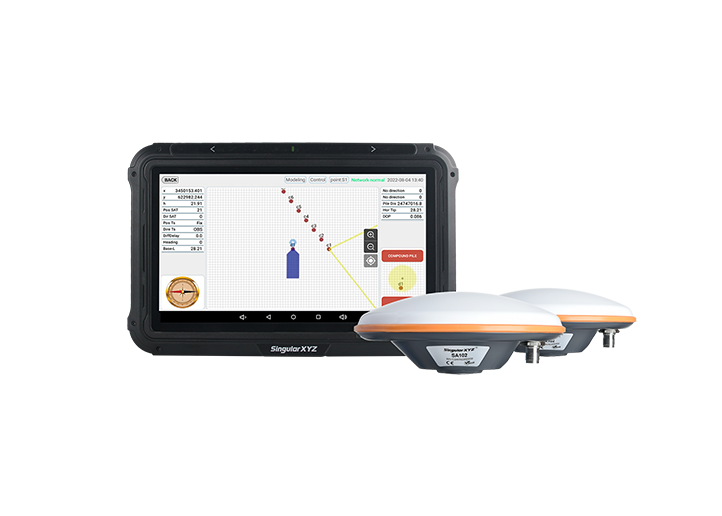
This blog introduces how to set up ISOBUS in PrecisionAg autosteer software and how to view implement information after connection.
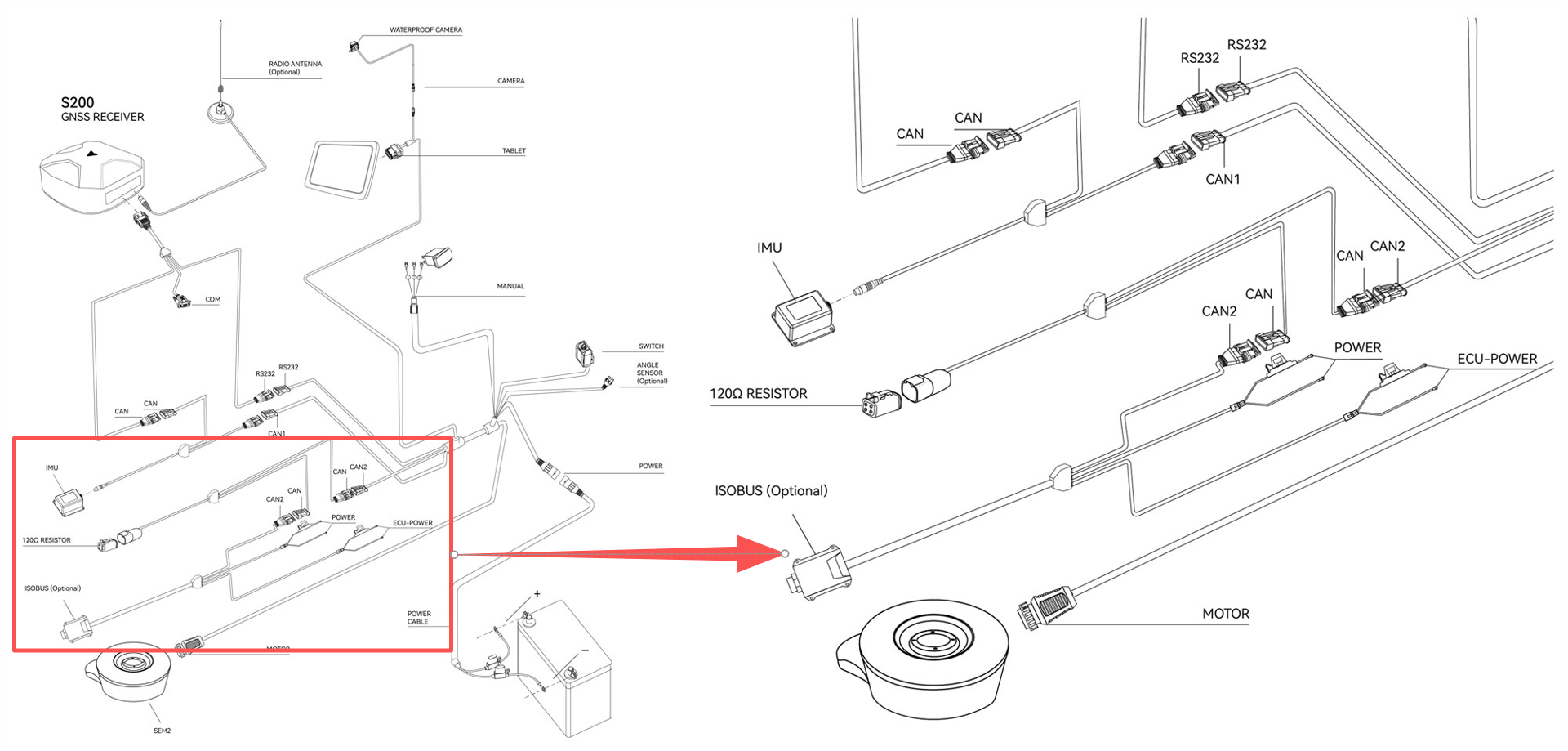
ISOBUS communication requires a proper cable connection. Please follow the wiring diagram below to complete the connection. Proper termination resistors must be installed as shown in the diagram. Incorrect or missing resistors may cause communication failure or unstable connection.
ISOBUS functionality needs to be enabled via a license file. Please contact SingularXYZ technical support team to obtain the license.
After receiving the license file:
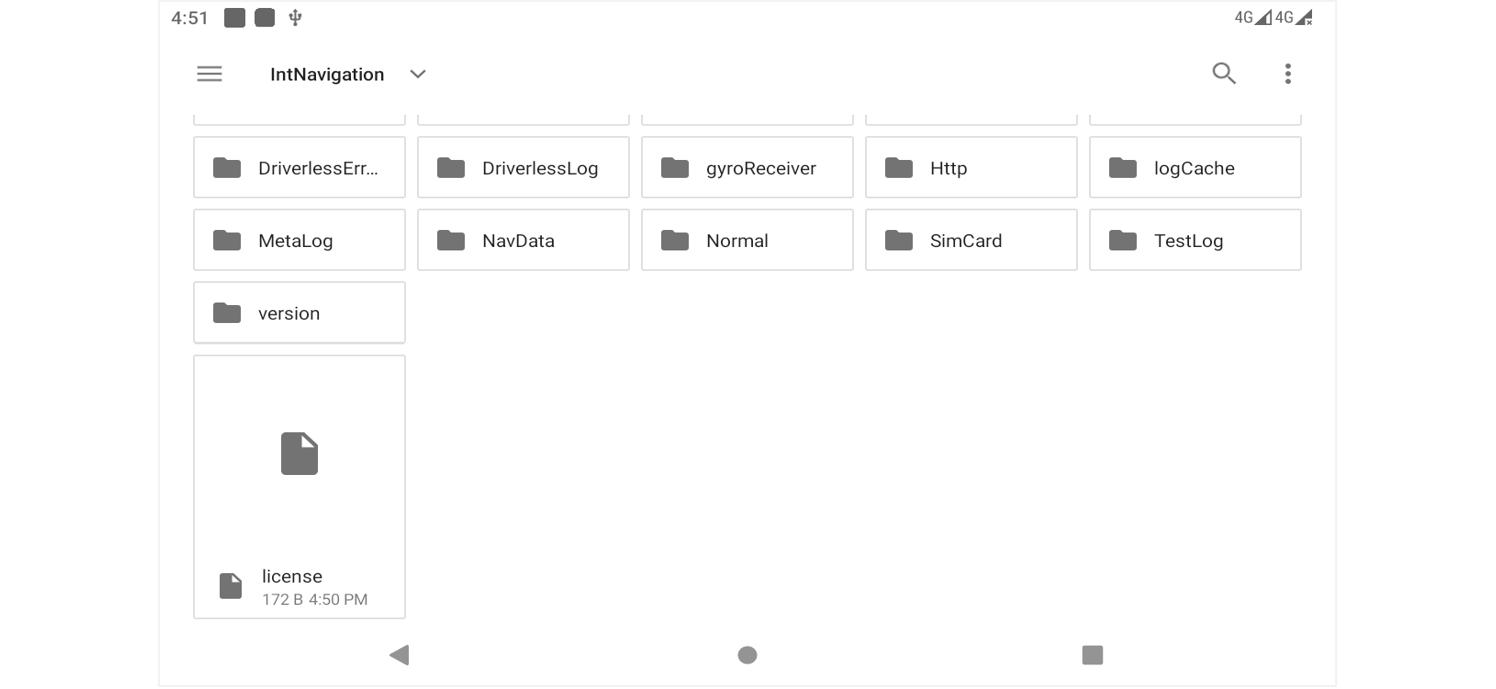
Copy the license file to a USB drive or directly to the tablet
Place the file under the folder named "IntNavigation"
Make sure the file path is correct so that the system can detect it properly.
Open PrecisionAg
Tap ISOBUS in the main interface
The system will automatically detect and load the license file.
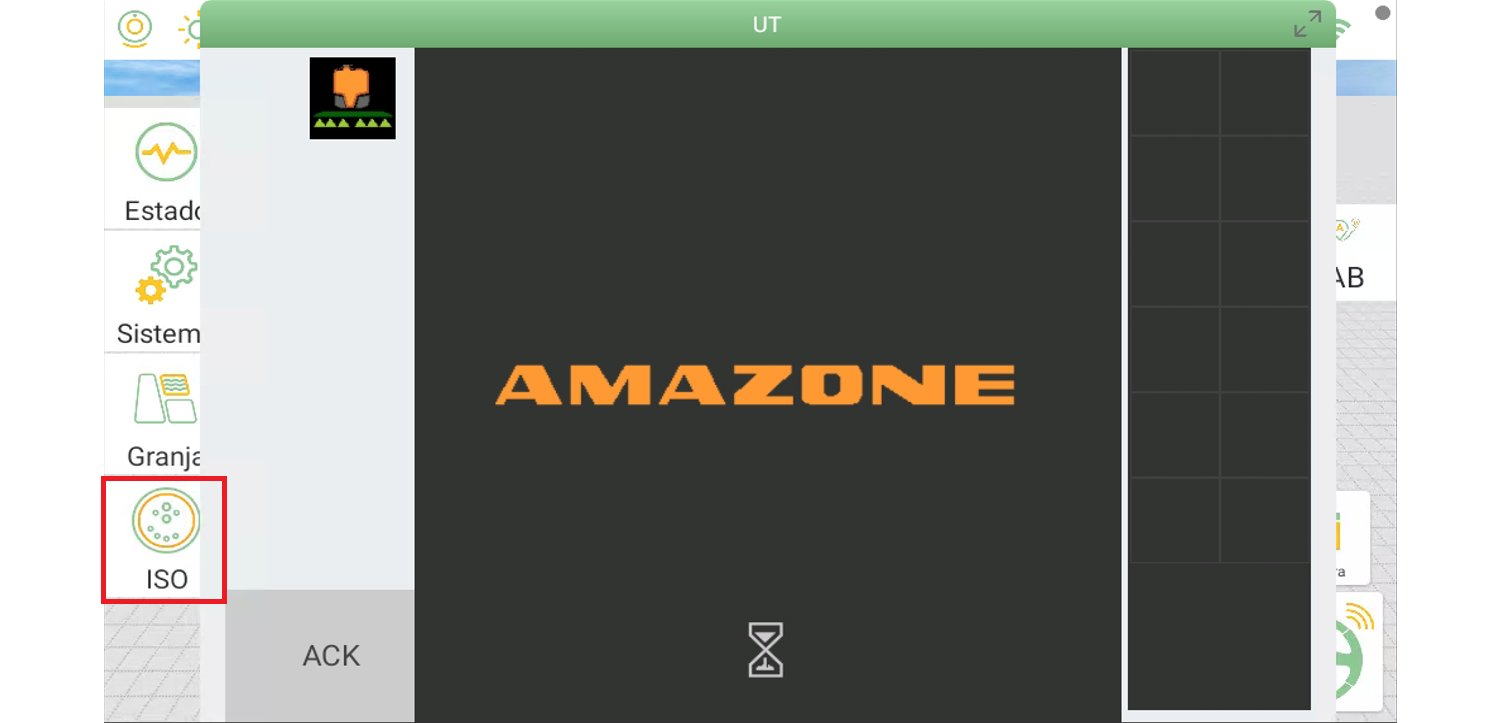
Once successfully recognized, the ISOBUS interface will be activated.
After a successful connection, an ISOBUS control panel will be displayed on the screen.
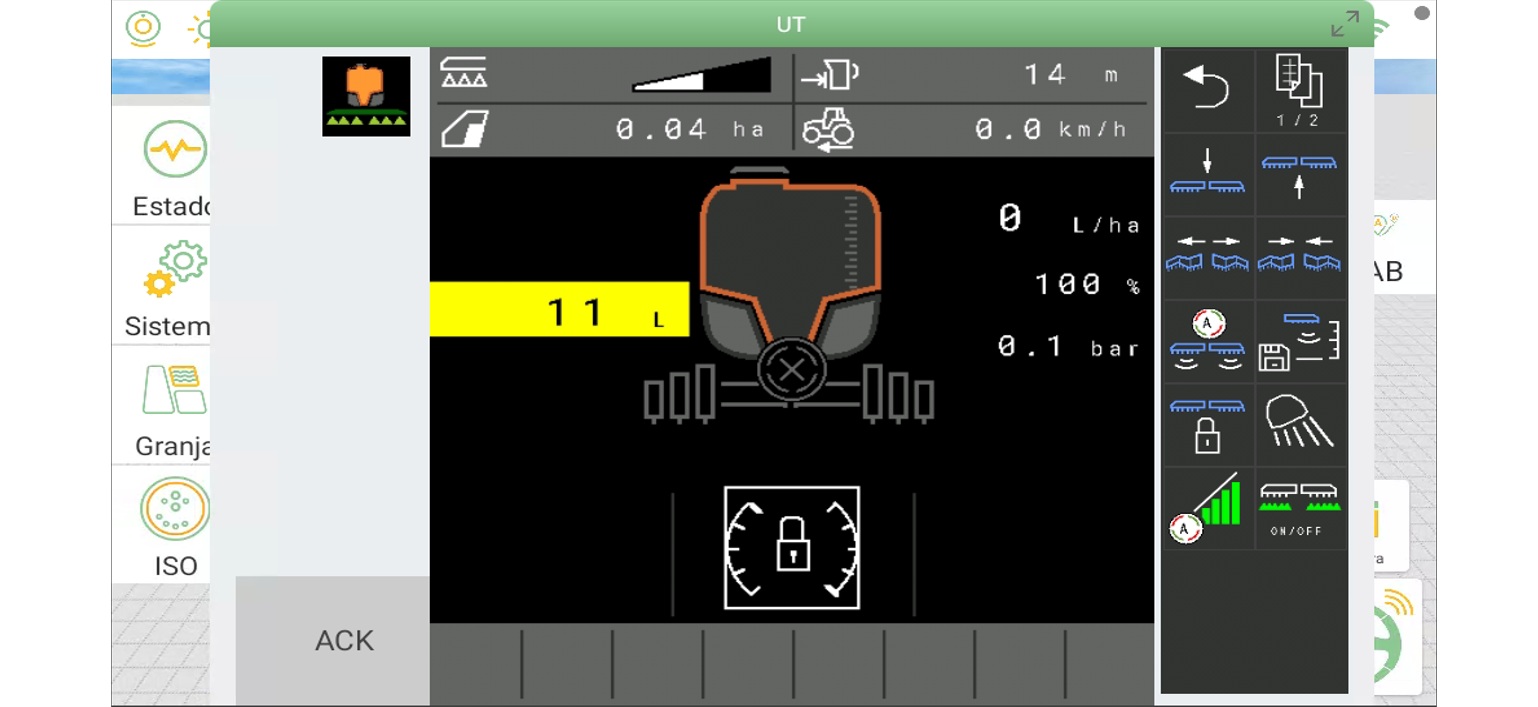
This panel provides real-time information from the connected implement, such as:
Implement identification and basic information
Working status and operation parameters
Task-related data (depending on implement type)
This allows operators to monitor implement conditions directly from the terminal without switching between different systems, improving operational awareness and efficiency in the field.
At present, the ISOBUS function is mainly used for information display and monitoring, and direct control of implements is not supported at this stage.
By completing the cable connection and importing the license file, users can enable ISOBUS in PrecisionAg and access real-time implement information through a unified interface. This helps improve compatibility between equipment and provides better visibility during field operations.