













































 Home
Home
SingularPad Field Surveying Software
learn more





 2026-04-07
 Satoshi


In our previous blog, we introduced how to align CAD drawings with the project coordinate system using the CAD Calibration function. Once the drawing is properly aligned, it can be directly used for further tasks.
After importing and calibrating a CAD drawing into SingularPad, users may need to extract specific points for stakeout or further measurement tasks. Instead of manually entering coordinates one by one, SingularPad allows you to directly select points from the CAD drawing and save them into the point database.
This blog introduces several methods to extract points efficiently.
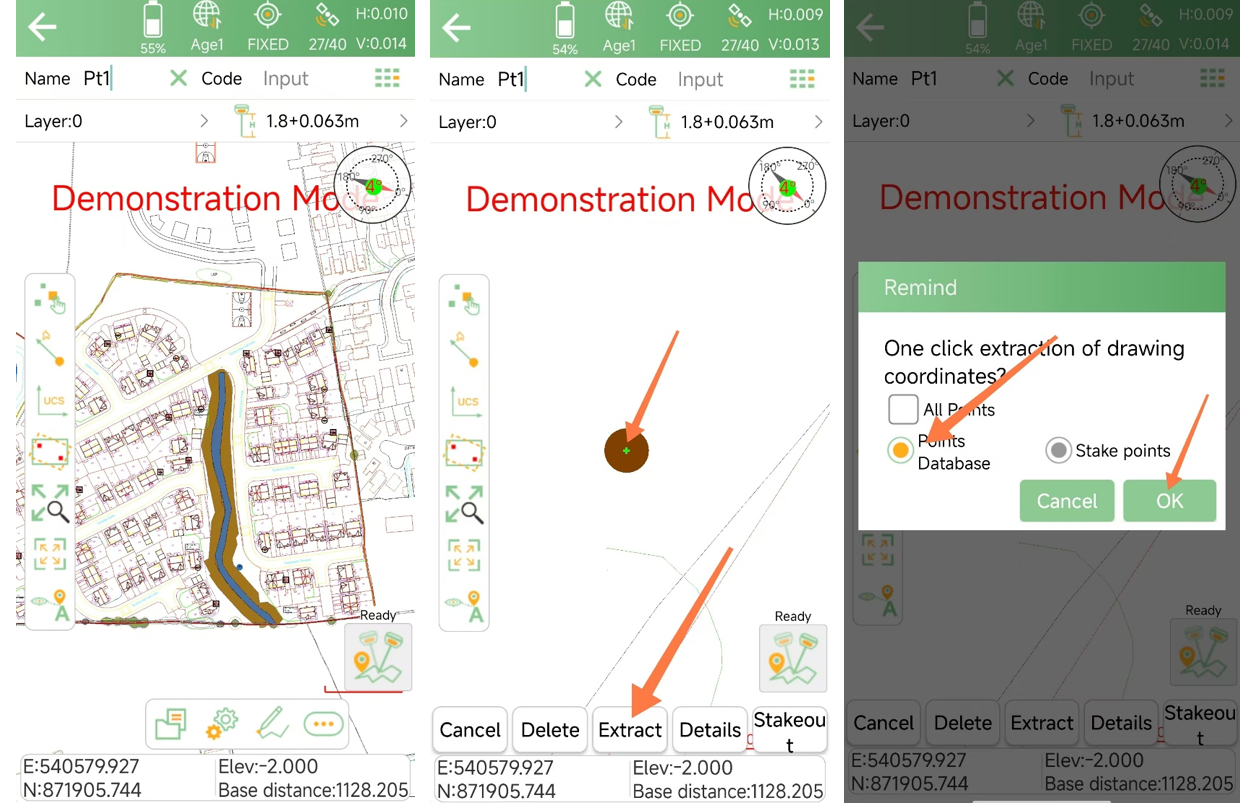
For an individual point, simply tap the point on the CAD drawing.
From the pop-up menu, select "Extract" to save it directly into the point database.
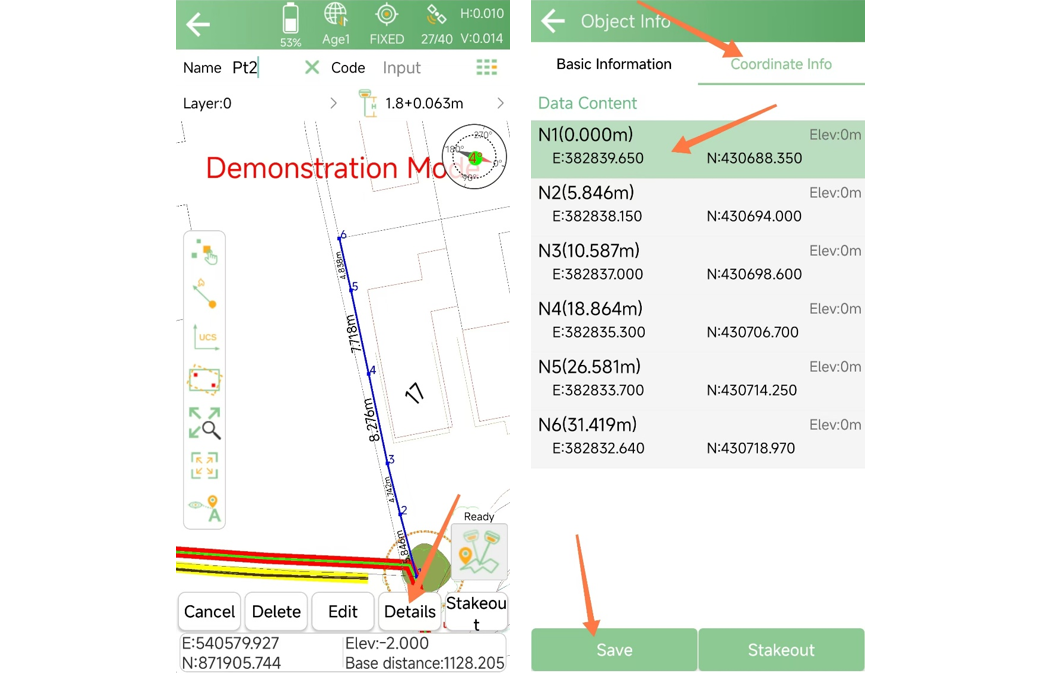
To extract points from a line or curve:
Tap the line or curve
Multiple nodes will appear along the geometry
These nodes are vertices generated during the CAD drawing process and can be selected as points.
Tap "Details"
In the coordinate information interface, select the required points
Tap "Save" to add them to the point database
Note: N1 represents the first node on the line, N2 represents the second node, and so on.
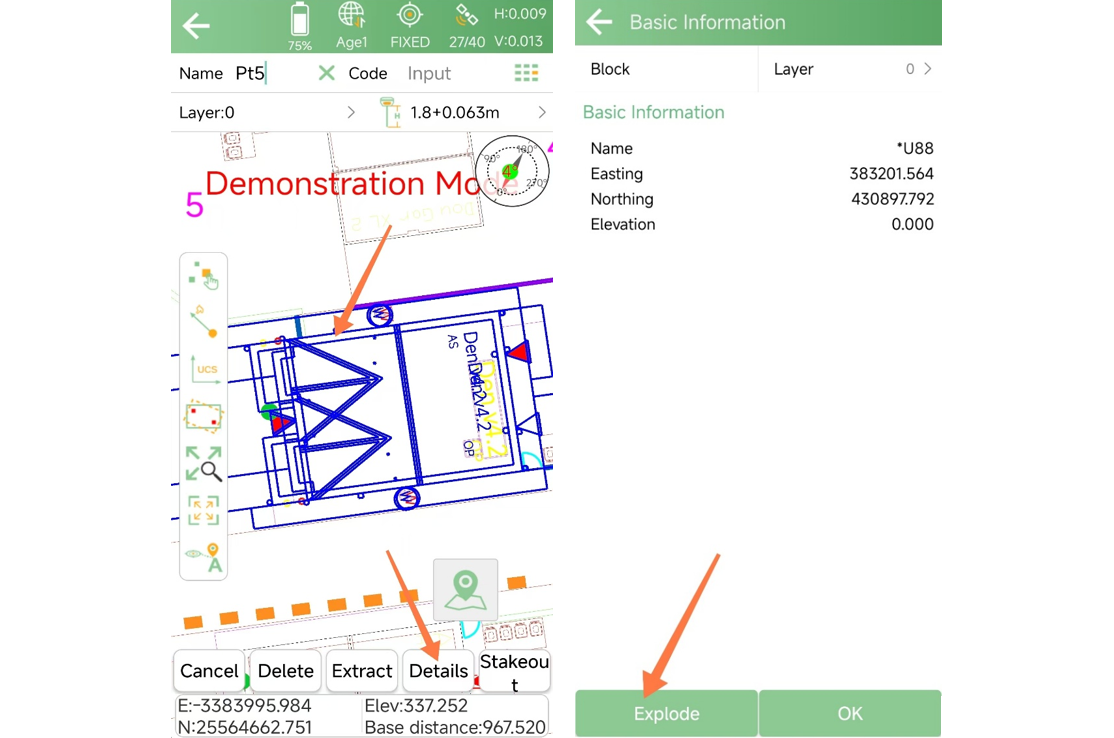
For complex or grouped graphics, individual points or lines may not be directly selectable. In this case, the graphic needs to be separated first.
Select the graphic
Tap "Details"
In the pop-up window, tap "Explode"
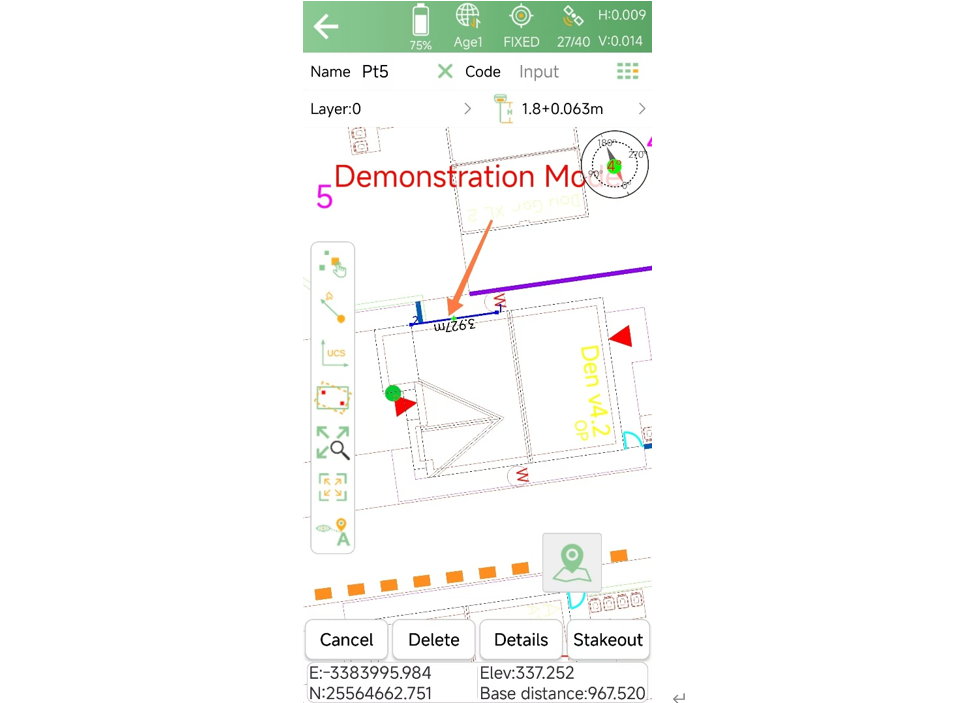
After exploding, the graphic will be broken down into individual lines and points. You can then follow the method described in Step 2 to extract the required points.
After extraction, you can go to the Point Database to check the saved points and confirm their coordinates.
Note: The exploded graphic will revert to its original grouped state the next time the file is opened. This operation does not permanently modify the original CAD drawing.
The CAD point extraction function in SingularPad allows users to quickly convert drawing elements into usable survey points. By selecting points directly from CAD drawings, users can significantly reduce manual input and improve overall workflow efficiency.